A Family Photo Evening That Gives Everyone a Turn
Plan a family photo evening with a varied selection, a suitable screen and simple turn-taking, so everyone can see the pictures and join the conversation.
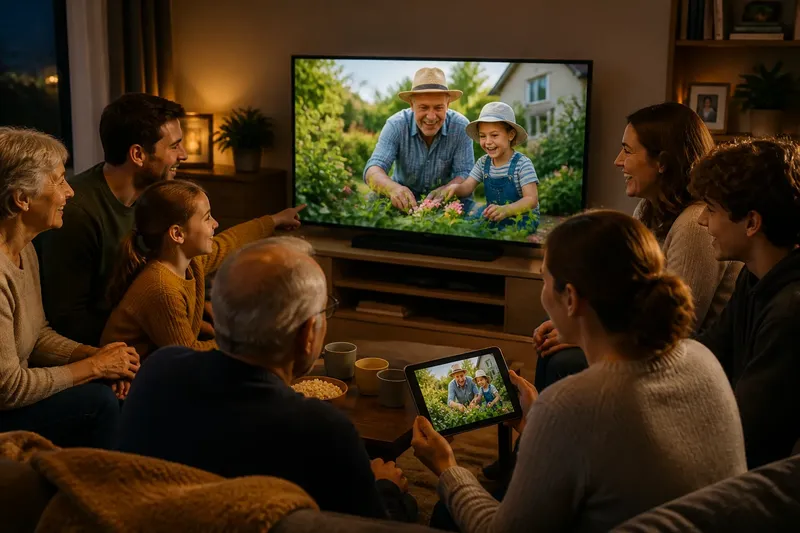
A family photo evening works best when everyone can see the pictures and has a say in what comes next. Choose the screen for the room, prepare a small shared selection and make passing as acceptable as choosing.
Prepare the photos
Ask each person to suggest a few images before the gathering. They can choose from a phone, a computer folder, a printed album or a shared collection; agree a modest limit so the evening stays a conversation rather than a tour through every device.
Create a temporary album or folder and copy in the chosen images, leaving the originals untouched. Use a clear name such as “Photo evening”, then open the files on the device you plan to use. Leave out private or awkward pictures unless the people shown agree to share them.
Arrange the images loosely around familiar faces, a memorable place, a family meal, a pet or an everyday scene. There is no need to build a polished chronology. A less familiar image can give people who were not there at the time a way into the conversation.
Say you are hosting, and your sibling suggests a holiday picture while a child chooses a snapshot of a grandparent’s garden. You copy both into the temporary album, then invite another relative to bring one favourite. The resulting selection reflects several people rather than only the device owner.
Do not spend the week correcting every crop, adjusting colour or adding captions. Those tasks rarely make shared viewing more welcoming. Check instead that each file opens and that you know who has permission to share it.
Choose a suitable screen
Match the display to the room and the group. A television may suit a sofa and several viewers; a tablet can work around a table; a laptop is convenient if its position gives everyone a clear view. A smaller screen may feel more comfortable for a close-knit group than a large display that dominates the room.
Before guests arrive, open the album and check a few images. Make sure menus do not cover faces, a bright window is not reflected on the screen, and nobody has to lean across another person to see. If the room is lively, lower background sound and keep the remote or device within easy reach.
For a television or shared display, have the album ready to open without signing into someone else’s account in front of the group. Set up any cable or casting feature beforehand, and keep a simple backup, such as opening the album on a tablet. Follow the device maker’s instructions and relevant sharing settings.
Share the choices
At the start, explain the arrangement simply: each person may choose an image, invite someone else to choose or pass. Let someone other than the host begin if that feels natural. The aim is to share control, not enforce a rigid order.
Give the chooser the first chance to say what they notice or remember. Others can add a detail, ask a question or simply look. Do not turn the image into a quiz: people may value a photo for reasons that are not obvious to the rest of the group.
If two people want to choose at once, let one pick now and invite the other to choose next. If someone brings several related images, agree whether to view them as a short set or save some for another time. A friendly boundary gives each person room to contribute.
Keep the pace comfortable
Begin with an image several people recognise, then let the group’s interest set the pace. Some pictures prompt a quick smile; others bring out a story about a place, relative or family habit. There is no need to move on just because another file is waiting.
Use the screen as a prompt, not a barrier. Pause between images so people can look at one another, finish a thought or ask who is missing from the frame. Conversation that wanders from the picture can still be part of the evening.
Keep the device where the chooser can point out details without taking it away from everyone else. Pass a television remote to the next person; place a tablet within reach and invite the chooser to hand it over. If people strain to see, adjust the seating or switch to a more suitable display.
When plans change?
What if someone brings too many photos?
Invite them to select a few favourites for this gathering and save the rest for another time. If narrowing the selection feels difficult, group related images and let the room choose which group to open first.
What if a photo starts a disagreement?
Let each person describe what they remember without asking the group to settle on one version. If the exchange becomes uncomfortable, move to another image and leave space for a private conversation later.
What if someone does not want to choose?
Make passing an ordinary option and do not put anyone on the spot. They can still comment, ask a question or watch, and choose later if they wish.
What if the screen or connection fails?
Switch to the backup you prepared, such as opening the album directly on a tablet or laptop. If that is not practical, use printed photos or end the viewing and share stories from memory rather than spending the evening troubleshooting.
Leave room to return
When the group is ready to stop, ask if anyone has one last image to share. Finish while people still have energy for conversation rather than pressing through every remaining file. Thank the contributors, then leave the temporary album in place until everyone who needs it has access to their own photos.
Afterwards, note what people enjoyed: perhaps pictures from a particular place, contributions from younger relatives or a story from someone who rarely speaks first. Use that observation to shape the next family photo evening. A manageable selection and shared choices leave more room for people than a complete collection.